What can I do to "get ready" for a lesson in which my students use computers?
In order to prepare for a lesson in which students use computers, a teacher should first make sure that they create a thorough and carefully prepared lesson plan. Of course, an NTeQ lesson plan is highly preferable in the case of a lesson that requires computer use. Besides a thorough lesson plan, the teacher should also prepare the necessary handouts for the lesson. Students are going to need some sort of guidance on their activities and handouts will help them along the way. One type of handouts that is useful is a step-by-step guide, which tells students exactly how to do the technical portion of a newer computer task. Other handouts that can be used in computer lessons are resource guides and assessment tools. Teachers must also make sure that they prepare the technology in order to ready themselves for a computer lesson. This may include creating digital folders, loading special software, or bookmarking specific websites.
Where does the "computer part" come when I am teaching a lesson?
The computer part of an NTeQ lesson comes into play during the "during computer use" step. In this step, students have access to the computers in order to complete tasks assigned by the teacher. For example, the teacher may have asked students to create a presentation on a specific animal and its attributes. Students may use the computer time to research the animal on the internet. They may also use the computer again, after synthesizing and organizing their research, to create a presentation on a program like PowerPoint.
How do you ensure equal access for all students with only three computers?
It is important that the teacher ensures that all students have some time to access the computers and put them to use. In a classroom with only three computers, this can often be a challenging task. Teachers should make sure that students have routine use of technology in lessons. Teachers should aim to create lessons that require a group product, where each student contributes a portion of the final outcome. This uses cooperative learning, which is extremely helpful to students. Teachers should also monitor the rotation of these groups, ensuring that they take turns using the computer among the group.
Showing posts with label students and the Web. Show all posts
Showing posts with label students and the Web. Show all posts
Sunday, April 27, 2014

Wednesday, March 19, 2014
Reflecting on What I Know - Chapter 6
Now that I have access to the Web, how can I use it effectively?
In order to use the Web effectively, I would have to first make sure that I had a good understanding of the features of different Web programs. Once I made sure I was knowledgeable of the features, I would connect my knowledge to what I was doing in the classroom. I could use the web to effectively search for information on a topic that I am teaching by using websites like Google. I could make sure that I was using e-mail and Skype to communicate via the Web with other teachers, parents, students and anyone else who would aid in my teaching. I would also use the Web to aid in managing all the content that I have to obtain and hold as a teacher, including grades and worksheets.
How do I manage students' use of the Web in my class?
It is important that a teacher manages how his or her students use the Web during class time. One important aspect of this management is making sure that children are using specialized kid-safe search engines. These engines, such as Google's Safe Search and Ask Jeeves for Kids, filter out any inappropriate or unwanted information when children search the Web. Kid-safe e-mail accounts are also a good tool to help manage students' Web use. These include e-mail servers like ePals and Gaggle.net. Teachers can also make sure that they establish a clear set of rules and code of conduct for internet use. They can make sure that students know and adhere to these rules. It would also prove helpful to have the rules and code of conduct displayed near the computers in the classroom. Finally, I would make sure that students are aware of copyright issues and what works is available for them to use in their projects.
Which features of the Web do I use?
In my classroom, I would use the Web for various processes and activities. I would use search engines and educational websites to help find resources and ideas for when I am lesson planning. I could use word processing programs for various reasons including writing letters to parents, class announcements, and fliers. E-mail would also be a wonderful tool to help ease correspondence with parents of my future students. I would most certainly create a classroom website to post on the school website to help keep students and parents up to date with what is going on in our classroom.
In order to use the Web effectively, I would have to first make sure that I had a good understanding of the features of different Web programs. Once I made sure I was knowledgeable of the features, I would connect my knowledge to what I was doing in the classroom. I could use the web to effectively search for information on a topic that I am teaching by using websites like Google. I could make sure that I was using e-mail and Skype to communicate via the Web with other teachers, parents, students and anyone else who would aid in my teaching. I would also use the Web to aid in managing all the content that I have to obtain and hold as a teacher, including grades and worksheets.
 |
| image source |
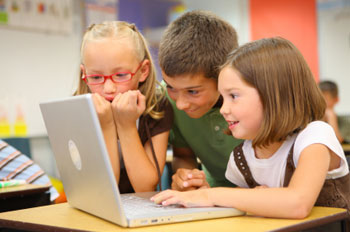
How do I manage students' use of the Web in my class?
It is important that a teacher manages how his or her students use the Web during class time. One important aspect of this management is making sure that children are using specialized kid-safe search engines. These engines, such as Google's Safe Search and Ask Jeeves for Kids, filter out any inappropriate or unwanted information when children search the Web. Kid-safe e-mail accounts are also a good tool to help manage students' Web use. These include e-mail servers like ePals and Gaggle.net. Teachers can also make sure that they establish a clear set of rules and code of conduct for internet use. They can make sure that students know and adhere to these rules. It would also prove helpful to have the rules and code of conduct displayed near the computers in the classroom. Finally, I would make sure that students are aware of copyright issues and what works is available for them to use in their projects.
 |
| image source |
Which features of the Web do I use?
In my classroom, I would use the Web for various processes and activities. I would use search engines and educational websites to help find resources and ideas for when I am lesson planning. I could use word processing programs for various reasons including writing letters to parents, class announcements, and fliers. E-mail would also be a wonderful tool to help ease correspondence with parents of my future students. I would most certainly create a classroom website to post on the school website to help keep students and parents up to date with what is going on in our classroom.
Subscribe to:
Posts (Atom)